Write YouTube Titles and Thumbnails That Earn the Right Click
Package a YouTube video clearly and compellingly without promising a result the video does not deliver.

A title and thumbnail help a viewer decide whether a video is for them. Their job is not to trick someone into clicking; their job is to make the value easy to understand and set an expectation the video can satisfy.
Draft two promises and test one variable
Make a thumbnail for the same video with two different compositions. At phone size, check whether the main object is recognizable. Have a viewer tell you what the combination promises and then play the first 20 seconds to see whether it delivers.
Worked example
For “Light a desk with one lamp,” one thumbnail shows the finished desk and one shows a split before and after. Keep the title constant when comparing the composition. When the eligible YouTube Studio test is available, read its watch-time result alongside the promise each variant made.
What to do with the result
If the test has no clear result, pick the version viewers interpret more accurately. If clicks rise while early viewing falls, review whether the opening satisfies what the title and thumbnail suggested.
Lead with the viewer’s question or outcome
A searchable title can name the problem and the method. A curiosity-led title can work when the thumbnail adds a concrete visual clue. Keep the important words early so the title remains understandable on a narrow screen, and remove phrases that repeat the same idea.
Design for one glance
Choose one focal point and keep any thumbnail text short enough to read at small size. The image should add context rather than simply repeat the title. If a face, object, or result matters to the story, make it recognizable without cluttering the frame with several competing elements.
Check the promise against the video
After drafting, ask whether the opening quickly confirms the title and thumbnail. If the video takes too long to reach the promised answer, improve the structure instead of making the packaging more dramatic. YouTube’s own guidance recommends accurate titles and thumbnails and encourages creators to learn from analytics.
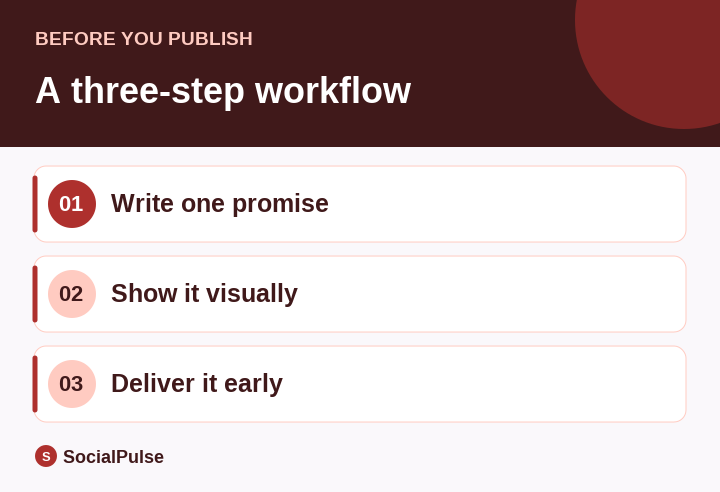
A working guide for your next session
Find the central viewer benefit
Write down the question the video answers or the outcome it demonstrates. Choose the clearest, most specific angle rather than trying to summarize every segment. This gives the title a job and helps you find a thumbnail idea that adds visual context. A strong package is a truthful invitation to the right viewer, not a trick for attracting everyone.
Make title and thumbnail work together
Use a readable title that names the subject or benefit. Let the thumbnail show a result, contrast, object, or expression that makes the idea easier to picture. Avoid duplicating the full title in tiny text. Check that the visual remains understandable at a small size and that any text is accurate, legible, and not doing all the explanatory work.
Compare options against the actual video
Draft a few title and thumbnail combinations, then ask whether each one reflects what the viewer will receive. If an option creates a stronger promise than the content supports, reject it. A second person can often spot a misleading implication quickly. Once published, keep a record of changes and compare results only when the audience and context are reasonably similar.
